

Key Takeaways
- Good printer maintenance is mostly small, cheap habits: keep it clean, keep it dry, and use it regularly so ink and rollers do not dry out or glaze over.
- Build a simple rhythm. Do quick checks weekly, a deeper clean monthly, and firmware and roller care a few times a year.
- Inkjets and lasers need different care. Inkjets fight clogged print heads, while lasers deal with toner dust, drums, and fuser wear.
- Prevention costs pennies. A five-minute wipe-down and a test page beat a costly service visit or an early replacement almost every time.
- Most maintenance is safe to do yourself with a lint-free cloth, distilled water, and patience. Know the few jobs worth leaving to a technician.
A printer that runs quietly for years and one that dies in eighteen months are usually the same machine, treated two different ways. I have cleaned, serviced, and revived home and small-office printers for a long time, both inkjet and laser, and the pattern almost never changes: the machines that last are the ones whose owners spend a few minutes on them now and then. The rest get ignored until they clog, streak, or jam for good. By the end of this guide you will have a clear, realistic maintenance routine you can actually stick to, know exactly what to clean and how often, and understand which few tasks are worth handing to a pro.
What Printer Maintenance Really Means
Printer maintenance is simply the small set of habits that keep paper feeding smoothly, ink or toner flowing cleanly, and the internal parts free of dust and buildup. It is not a mysterious ritual or an expensive service plan. Most of it is wiping, checking, and running the machine often enough that nothing dries out or seizes up.
Think of it the way you think of a car. You do not rebuild the engine every week, but you do check the oil and keep it clean. A printer is the same. A little regular attention prevents the big, frustrating failures that make people give up and buy a new one. If you are still on the fence about whether it is worth the effort, our beginner explainer on why printer maintenance matters makes the case in plain terms.
The Real Cost of Skipping It
When maintenance gets skipped, problems do not appear all at once. They creep. First a faint streak, then a misfeed, then a clog that wastes a whole cartridge trying to clear itself. Each small failure nudges you closer to an early, avoidable replacement.
The habits that prevent all of this are genuinely simple, and they compound. A printer cared for from day one often outlasts two or three neglected ones. Our roundup of habits that extend your printer’s life collects the highest-impact ones in a single list.
Build a Maintenance Routine You Will Actually Follow
The secret to printer maintenance is not doing more. It is doing a little, on a schedule loose enough to keep. I break it into three rhythms: quick weekly checks, a monthly clean, and a few seasonal jobs. Match the effort to how hard you actually use the machine.
| How Often | What to Do | Why It Helps |
|---|---|---|
| Weekly | Print a test page, wipe the exterior, check paper is dry and squared | Keeps ink moving and catches small issues early |
| Monthly | Clean feed rollers, run a nozzle check, dust vents and trays | Prevents misfeeds, clogs, and dust buildup |
| Every few months | Check for firmware updates, deep-clean if needed, inspect rollers and drum | Fixes bugs and stops chronic wear problems |
| As needed | Replace worn rollers, align print head, professional service | Restores performance when a part is truly worn |
Do not overthink the calendar. If you only print a few times a month, stretch these intervals out. If your machine runs all day in a busy office, tighten them. For a version you can print and tape to the wall, grab our monthly printer maintenance checklist.
Tip: The single most underrated maintenance task is simply using your printer. Printing a page or two every week, even a plain nozzle-check pattern, keeps inkjet ink from drying in the nozzles. In my experience, idle printers clog far more often than busy ones.
How to Clean Your Printer Safely
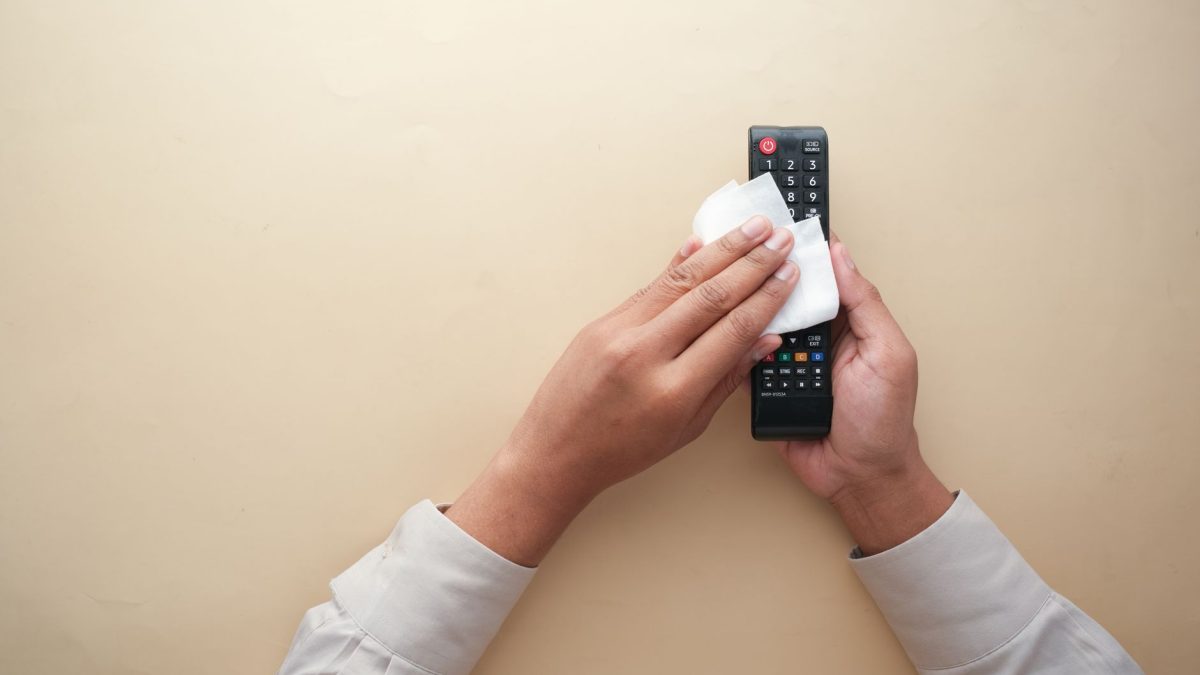
Cleaning is the heart of maintenance, and the good news is that most of it is safe to do with your bare hands and a soft cloth. The goal is to remove dust, stray toner, ink smears, and the grime that builds up on feed rollers and glazes them smooth.
You do not need special chemicals. A lint-free microfiber cloth, a little distilled water, and cotton swabs handle almost everything. For scanner glass, a glass cleaner sprayed onto the cloth rather than the glass works well. Our full walkthrough on how to clean your printer inside and out covers every surface in detail, and if you want to stock a small kit, see our picks for the best cleaning supplies for your printer.
A Simple Monthly Cleaning Routine
Here is the exact routine I run on most machines. It takes under ten minutes once you know where things are. Give yourself good light and work gently.
- Power off and unplug the printer. Expected result: all lights go dark and no rollers can spin while your hands are inside.
- Wipe the outside and the paper tray. Use a dry or barely damp cloth to lift dust and fingerprints. Expected result: a clean exterior and a tray free of paper dust.
- Clean the feed rollers. Wipe the rubber rollers with a lint-free cloth lightly dampened with distilled water, rotating them by hand. Expected result: the rollers look matte, not shiny, and grip paper again.
- Dust the interior gently. Use a soft dry cloth or a can of compressed air held upright and at a distance. Expected result: no visible dust or stray toner on internal surfaces.
- Clean the scanner glass if you have one. Spray glass cleaner on the cloth, never the glass, and wipe in one direction. Expected result: streak-free glass for clean scans and copies.
- Run a test print and nozzle check. Plug in, power on, and print the built-in pattern. Expected result: crisp lines and full color with no gaps or streaks.
If that final test page shows gaps or banding, your print head or rollers may need more focused attention. For long-term care of those specific parts, our guide on how to care for rollers and print heads long term goes deeper than a monthly wipe.
Warning: Never use alcohol, household solvents, or paper towels on print heads, drums, or delicate rollers, and never touch the shiny surface of a laser drum with your fingers. Harsh chemicals dissolve coatings, paper towels shed fibers, and skin oils leave permanent marks that show up on every page.
Inkjet vs Laser: Different Machines, Different Care
Both types share the basics, clean rollers and a dust-free interior, but their weak points are opposite. Knowing which type you own tells you where to focus your maintenance time.
Inkjets use liquid ink and fine nozzles that dry out and clog when the machine sits unused. Their maintenance is mostly about keeping ink moving: printing regularly, running nozzle checks, and occasionally deep-cleaning the head. Lasers use dry toner powder and heat, so their concerns are toner dust, a light-sensitive drum, and a hot fuser that wears over time.
Because of this, an idle inkjet is far more likely to give you trouble than an idle laser. If you are deciding which to buy or simply want to understand your own machine better, our comparison of inkjet versus laser and which needs more upkeep lays out the trade-offs clearly.
Caring for a Printer You Barely Use
The hardest printer to maintain is the one that sits idle for weeks. Inkjets especially punish neglect, since ink hardens in the nozzles. If you know a printer will go unused for a long stretch, there are steps that protect it, which we cover in how to store a printer you will not use for months.
For a machine you use only occasionally, the fix is easy: print a small color document once a week. That habit alone prevents most clogs. Curious about the right frequency for your situation? Our FAQ on how often you should use your printer answers the common questions.
Firmware and Drivers: The Maintenance People Forget
Not all maintenance is physical. The software that runs your printer, its firmware and its drivers, needs occasional attention too. Manufacturers release firmware updates that fix bugs, improve reliability, and sometimes solve the exact quirk that has been annoying you for months.
Updating firmware is usually safe, but it is one area where a mistake, like losing power mid-update, can cause real trouble. Because of that, it is worth doing carefully rather than casually. Our step-by-step guide on how to update printer firmware safely walks through the precautions so you can update with confidence.
Checking a few times a year is plenty for most home users. Set a reminder alongside your seasonal cleaning, and you will keep both the hardware and the software in good shape without thinking about it much.
Common Maintenance Mistakes and Myths
A surprising amount of printer advice is either outdated or flat wrong, and some of it actively shortens a machine’s life. Knowing what not to do is as valuable as knowing what to do.
- Running deep cleans constantly. Each deep clean uses a surprising amount of ink. Reach for it only when a nozzle check actually shows a problem.
- Using paper towels or tissues inside. They shed fibers that clog the very parts you are trying to clean.
- Leaving an inkjet unused for months. This is the fastest way to a clogged, unusable print head.
- Ignoring the fill line and paper quality. Overloaded trays and damp paper cause the misfeeds people blame on the printer.
- Blowing into the printer to clear dust. Moisture from your breath can do more harm than the dust ever would.
We break down the most damaging habits in eight maintenance mistakes that shorten printer life, and separate fact from folklore in printer maintenance myths worth ignoring. Reading both will save you from the well-meaning advice that quietly wears machines out.
When to Do It Yourself and When to Call a Pro
The vast majority of maintenance is safely DIY. Cleaning, nozzle checks, roller wipes, firmware updates, and even swapping simple user-replaceable parts are all within reach for anyone willing to go slowly and read the manual.
A technician earns their fee on the harder jobs: replacing a fuser, fixing internal gear or electronics faults, or servicing a high-volume office machine under contract. If a problem persists after a careful clean and a nozzle check, or if you smell burning or hear grinding, that is your signal to stop and call someone. Our guide to DIY cleaning versus a service visit helps you draw that line for your own machine.
For most people, though, the math is simple. Consistent, gentle upkeep at home prevents the failures that lead to service calls in the first place. Spend the ten minutes a month and you rarely need the professional.
A Real Example: Ten Minutes a Month, Eight Years Running
A few years ago I took over care of an aging home inkjet that its owner was ready to throw out. It streaked on every page, misfed constantly, and the color was patchy. It looked done. Rather than replace it, I started a simple monthly routine: a roller wipe, a nozzle check, and one small color print each week to keep the ink moving.
Within two months the streaking was gone and the misfeeds stopped. That same machine kept running for years past the point everyone expected it to quit, printing clean pages the whole time. The only cost was a microfiber cloth, a bottle of distilled water, and a few minutes of attention. I wrote up the full story in how monthly upkeep saved my eight-year-old printer, because it is the clearest proof I know that maintenance works.
The lesson is not that every printer lasts forever. It is that most of them fail years early for reasons that a little routine care would have prevented. You do not need to be a technician. You just need to be consistent. If you want to know more about how we test and verify these methods, our editorial policy explains our process.
For anyone who wants to understand the underlying technology a bit more, this overview of how printers work is a solid, neutral primer, and most manufacturers publish model-specific maintenance steps on their official support sites that are worth checking for your exact machine.
Frequently Asked Questions
How often should I clean my printer?
For a typical home printer, a quick monthly clean of the rollers and exterior is plenty, with a deeper look every few months. Busy office machines benefit from more frequent attention. Let your results guide you: if you see misfeeds or streaks, clean sooner rather than waiting.
Does printer maintenance really extend a printer’s life?
Yes, and often dramatically. Most early printer failures come from clogged heads, glazed rollers, and dust buildup, all of which routine cleaning prevents. A machine given a few minutes of care each month commonly outlasts a neglected one by years, at almost no cost beyond a cloth and some patience.
What is the most important maintenance task?
For inkjets, it is simply using the printer regularly so the ink does not dry in the nozzles. Printing a single color page each week prevents most clogs. For lasers, keeping the interior free of toner dust matters most. In both cases, consistency beats intensity every time.
Can I use rubbing alcohol to clean my printer?
Be careful. Alcohol is fine on some feed rollers but can damage print heads, drums, and rubber parts by dissolving coatings or drying them out. When in doubt, use a lint-free cloth lightly dampened with distilled water, and check your printer’s manual for any surfaces it specifically warns against.
Do I need to update my printer’s firmware?
It is worth checking a few times a year. Firmware updates fix bugs, improve reliability, and sometimes resolve nagging issues. Update carefully, though: keep the printer powered and connected throughout, and never interrupt the process. Doing it deliberately rather than casually keeps a helpful task from becoming a risky one.
Putting It All Together
Printer maintenance is not complicated, and it is not a chore you need to dread. It is a handful of small habits, a cloth, some distilled water, and a loose schedule you can bend to fit your life. Keep it clean, keep it running, update it now and then, and know the few jobs worth handing to a pro. Do that, and your printer will quietly reward you with clean pages for years longer than it otherwise would. Take it one easy step at a time, and if you ever want to know more about the people behind these guides, feel free to visit our about us page.


