

Key Takeaways
- A short monthly routine is the simplest way to make a printer last longer, and it works whether you own an inkjet or a laser.
- My own printer reached eight years and is still going because I traded panic repairs for ten quiet minutes a month.
- Dust, dried ink, worn rollers, and stale firmware cause most failures, and each one is easy to prevent before it starts.
- You do not need special tools or skill, just a cloth, a spare test page, and a reminder on your calendar.
- The habit matters more than the effort; small care done on time beats a big cleanup done too late.
Eight years ago I bought a modest home printer, the kind that costs less than a nice dinner and that most people replace within three or four years. Mine is still humming along on my desk today, printing clean pages without complaint. I am not lucky, and it is not a special model. The only difference is a ten-minute routine I run on the first weekend of every month. I have repaired and revived plenty of tired machines for friends and family, and the story is always the same. By the end of this article you will know the exact habits that kept my printer alive, and how to make a printer last longer without turning maintenance into a chore.
How My Printer Almost Died in Year Two
My good habits did not start on day one. They started with a scare. Around the second year, I went to print a boarding pass and got a page streaked with pale, broken lines. Nothing I did fixed it, and I nearly threw the machine out in frustration.
The culprit turned out to be a half-clogged print head, caused by weeks of the printer sitting untouched. A couple of cleaning cycles brought it back, but the wasted ink and the near miss stuck with me. That was the moment I realized a printer is not a fix-it-when-it-breaks device. It is a machine of drying ink and dusty parts that quietly degrades whenever you ignore it.
If you want the reasoning behind that in plain terms, our beginner’s guide to why printer maintenance matters lays out why neglect, not use, is what kills most printers. Once I understood that, the fix was obvious: stop reacting, and start caring for it a little, all the time.
The Ten-Minute Monthly Routine That Saved It
After that scare, I built a routine so small it was hard to skip. I tied it to the first weekend of each month, right after I water the plants, so I never have to remember it out of the blue. Here is exactly what I do, in order, every single month.
- Power down and unplug. I always cut the power before reaching inside, both for my safety and to protect the electronics.
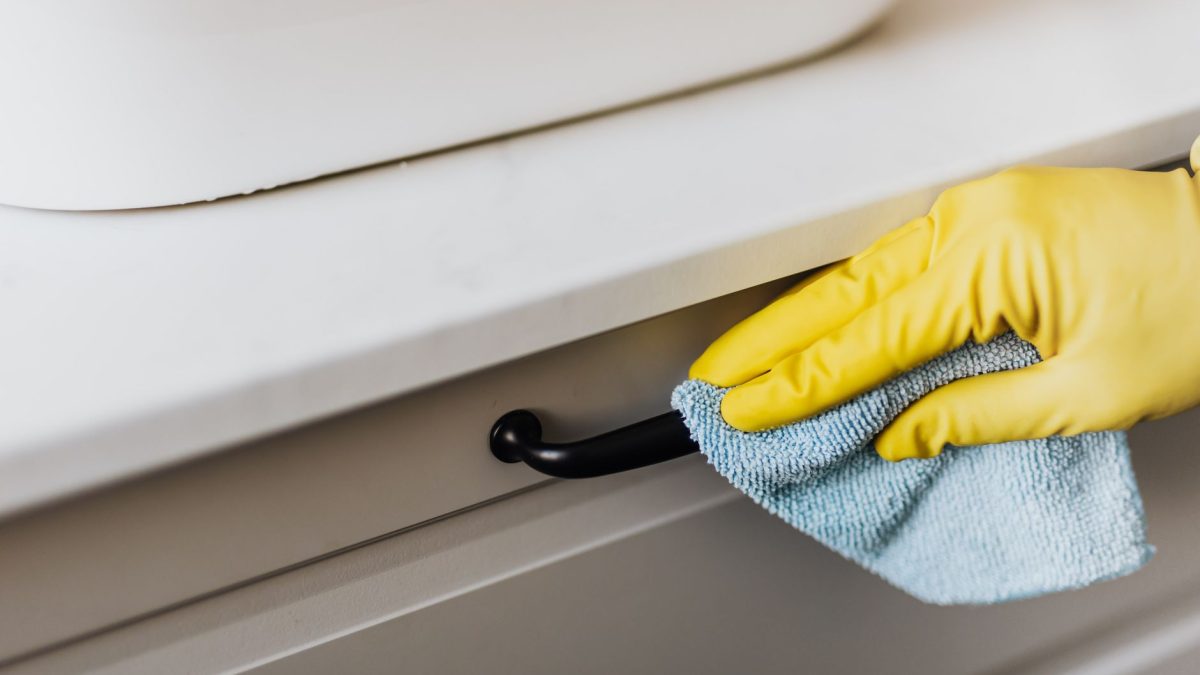
- Dust the outside and vents. A dry microfiber cloth stops grime from drifting into the moving parts.
- Wipe the feed rollers. A lightly damp lint-free cloth restores their grip and heads off jams.
- Run a nozzle check or test page. This flushes the print head and shows me instantly if anything is fading.
- Reload paper properly. I fan a fresh stack, square it up, and set the guides snug so nothing feeds crooked.
That is the whole thing. It genuinely takes me under ten minutes, and most months everything is already fine, which is exactly the point. The routine is not there to fix problems. It is there to make sure problems never arrive.
Tip: Attach your maintenance to something you already do every month, like paying a bill or changing a filter. A habit that rides along with an existing routine sticks far better than one that depends on willpower or memory alone.
What Each Habit Actually Prevents
It took me a while to see how little each step costs against how much trouble it heads off. Once I mapped it out, the routine stopped feeling like a chore and started feeling like insurance. Every action below buys back months or years of reliable printing.
| Monthly step | Time it takes | What it prevents |
|---|---|---|
| Print a nozzle check or test page | 2 minutes | Dried, clogged print heads |
| Dust the interior and vents | 3 minutes | Streaks, slipping rollers, sensor errors |
| Wipe the feed rollers | 2 minutes | Paper jams and misfeeds |
| Reload paper the right way | 1 minute | Crooked feeds and torn sheets |
| Check for firmware updates | 2 minutes | Bugs and connection drops |
Add those up and the whole practice is about ten minutes a month. That is the trade that has kept my printer alive: a handful of tiny, boring actions done on time, instead of an expensive replacement done in anger.
The One Habit That Matters Most Between Cleanings
My monthly routine gets the credit, but one daily habit does just as much heavy lifting. On an inkjet, liquid ink dries in the nozzles whenever the machine sits idle, so I make a point of printing at least one modest color page every week or two, even when I do not strictly need to.
That single page keeps ink flowing so it never hardens into the clog that nearly ended my printer in year two. If you own a laser, dry toner does not dry out the same way, so you get a pass here, though running the occasional page still keeps the rollers turning and confirms the machine is ready.
The other quiet hero is how I shut it down. I always use the printer’s own power button and wait for it to settle, never a wall switch. That button lets the print head park in a sealed dock that keeps the nozzles from drying overnight. For more small habits like these, our list of nine habits that extend your printer’s life is a friendly companion to this story.
Cleaning Done Right, Not Hard
Early on, I nearly did more harm than good. I once reached for a household glass cleaner and a paper towel, which is exactly the wrong move. The right supplies matter as much as the routine itself.
These days I keep a dry microfiber cloth, a lint-free cloth I can dampen, and a can of compressed air by the desk. That is all I have ever needed. If you want a proper shopping list, our roundup of the seven best cleaning supplies for your printer covers what is safe and what to skip, and our full walkthrough on how to clean your printer inside and out shows exactly where the dust and stray toner hide.
Warning: Never clean inside a printer with household glass cleaner, alcohol wipes, or paper towels. Harsh solvents can dissolve the coatings on rollers and print heads, and paper towels shed fibers that cause fresh jams. Stick to a dry or barely damp lint-free cloth and supplies made for the job.
The Software Side I Almost Forgot
For the first few years, I thought maintenance meant cloths and rollers only. Then a firmware update quietly fixed a connection drop that had been nagging me for months. Firmware is the small program running inside the printer, and updates often patch bugs, sharpen print quality, and calm the very glitches that make people give up on a machine.
The key word is safely. An update interrupted halfway can leave a printer confused, so I keep the power stable and let it finish every time. Our guide on how to update printer firmware safely walks through it calmly, so a helpful update never turns into a new headache.
If you would rather understand the machines themselves before you tinker, the neutral Wikipedia overview of printers is a friendly read that explains how inkjets and lasers differ under the hood.
What Eight Years of Upkeep Taught Me
The biggest lesson is that a printer almost never dies of old age. It dies of small neglects that pile up until, one busy morning, nothing prints. My eight-year-old machine is not tougher than yours. It has simply never been allowed to reach that breaking point.
The second lesson is that consistency beats intensity every time. A roller wiped each month never cakes up. Ink that flows every week never clogs. A one-time deep clean, done in a panic after things go wrong, is always more work and less effective than a light touch done on schedule.
Everything I do here, I have tested on real machines in real rooms, not just my own desk. You can read more about how and why we test on our editorial policy page. And if you want a printable version of my routine to tick off, our monthly printer maintenance checklist puts every step in one tidy list.
Frequently Asked Questions
Can monthly upkeep really make a printer last longer?
Yes, and it is the single most reliable thing you can do. Most printers fail from dried ink, dust, and worn rollers rather than genuine wear. A short monthly routine removes those causes before they cause trouble, which is why my own printer has kept working smoothly for eight years and counting.
How long can a home printer realistically last?
With light, regular care, many home and small-office printers keep working well for eight to ten years or more. The hardware rarely wears out from normal use. Remove the causes of failure, like clogged heads and dusty rollers, and the machine simply keeps going far longer than most people expect it to.
Does this routine work for both inkjet and laser printers?
The core routine works for both, but the emphasis shifts. Inkjets need regular use and nozzle checks to stop liquid ink drying out. Lasers tolerate idle time but gather dust and stray toner, so interior cleaning matters more. Our guide on inkjet versus laser upkeep breaks down what each one needs most.
I barely print. Is monthly upkeep still worth it?
Especially then. Light users suffer the most clogs, because an idle inkjet dries out fastest of all. If you rarely print, the most valuable habits are running a color page every couple of weeks, shutting down with the power button, and a quick monthly dusting. That small effort prevents the dried-head failure that quietly kills low-use printers.
What if I have already skipped maintenance for years?
Start today anyway. Give the printer a careful clean, run a nozzle check, and update the firmware, then begin the monthly routine. An older machine that has been neglected may need a deeper first cleaning, but most respond well. Our DIY cleaning versus a service visit guide helps you judge when to call a professional.
Give Your Printer the Same Chance
My printer is not special, and neither is my routine. It is just ten calm minutes a month, a page printed now and then, and a shutdown done properly. Together those small habits turned a disposable gadget into a dependable tool that has outlasted three phones and two laptops. If your printer is younger than mine, you have every chance of doing even better. Start with the monthly steps above, keep the supplies handy, and let consistency do the quiet work. Whenever you are ready to build the full picture at your own pace, our complete guide to printer maintenance and our comparison of DIY cleaning versus a service visit are here with practical steps and no pressure at all.


