

Key Takeaways
- Most printer maintenance myths survive because they sound sensible, not because anyone tested them.
- You do not need special cleaning kits, monthly deep cleans, or firmware left frozen in time to keep a printer healthy.
- Running a deep clean over and over wastes ink and can shorten the life of your print head.
- Rubbing alcohol, tap water, and paper towels cause more damage than the grime they are meant to remove.
- A few simple, regular habits beat every miracle trick you will read in a forum thread.
If you have ever run a deep clean five times in a row, wiped a print head with a paper towel, or refused a firmware update because a stranger online said it would brick your machine, you are in good company. Over the years I have helped friends, family, and small offices care for their printers, and the same shaky advice keeps getting passed around like gospel. The trouble is that a lot of it is wrong, and some of it quietly does harm. By the end of this article you will know which printer maintenance myths to ignore, why they stick around, and the simple habits that actually keep an inkjet or laser running for years.
Why Bad Maintenance Advice Spreads So Easily
Almost everyone owns a printer, and almost everyone has a frustrating story about one. That mix is perfect for folklore. One person cleans their printer with alcohol, sees a temporary improvement, and declares it a rule. Another skips an update, has no problems, and swears updates are a scam.
These tips feel true because they come with a memorable story, not because anyone checked them against how printers actually work. The result is a pile of advice that ranges from harmless to genuinely damaging. Let us clear the biggest myths out of the way, one at a time.
Myth 1: More Deep Cleans Always Fix a Clog
This is the myth that wastes the most ink, and I see it constantly. When prints come out streaky, the instinct is to hammer the deep-clean button again and again until the page looks right. Each deep clean flushes a surprising amount of ink through the head, so five cleans in a row can drain a cartridge for very little gain.
The better approach is patient, not aggressive. Run one cleaning cycle, print a nozzle-check page, and if it improved even a little, let the printer rest for a few hours before trying again. On a clog I fought last winter, two cleans spaced a day apart cleared what four back-to-back cleans could not. Resting lets softened ink work loose on its own.
Tip: Limit yourself to two cleaning cycles per day. If the nozzle check has not improved after that, stop and let the printer sit overnight. Overnight rest solves more clogs than a fifth cleaning cycle ever will.
For a step-by-step routine that respects your ink, our guide on how to clean your printer inside and out walks through it calmly.
Myth 2: Any Household Cleaner Is Fine for the Inside
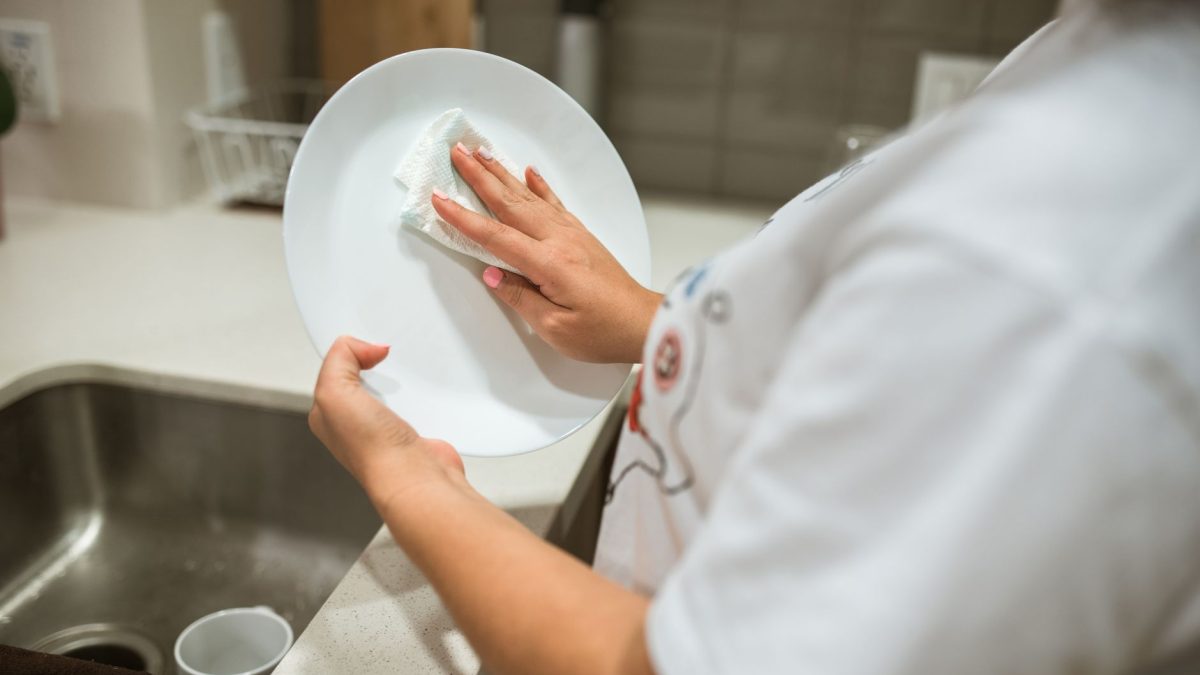
Rubbing alcohol, glass cleaner, and paper towels get recommended all the time, and all three can cause harm. Strong solvents can dry out rubber rollers and damage delicate print-head nozzles. Paper towels shed tiny fibers that catch on rollers and lead to jams and streaks later.
The safe kit is boring on purpose: a lint-free microfiber cloth, distilled water for gentle wiping, and a can of compressed air held upright. Only use isopropyl alcohol where the manufacturer specifically calls for it, such as certain print-head contacts. When in doubt, dry and gentle beats wet and harsh.
Warning: Never spray any liquid directly into a printer, and never touch the gold or copper contacts on a cartridge with a bare finger or a wet cloth. Both can cause errors that look far worse than the smudge you set out to clean.
If you want the short list of what is genuinely worth owning, see our roundup of the best cleaning supplies for your printer before you buy anything fancy.
Myth 3: Firmware Updates Are a Trap You Should Skip
It is true that a rare update has changed a feature people liked, and that fuels a lot of fear. But refusing every update leaves you with old bugs, security holes, and connection problems that a simple patch would have fixed. Most updates quietly improve reliability and print quality.
The sensible middle ground is to update deliberately, not never and not blindly. Read the release notes when you can, keep the printer powered and connected during the update, and never cut power partway through. Done carefully, updating is low risk and often solves the exact problem you were about to search for.
Our walkthrough on how to update printer firmware safely covers exactly how to do it without the drama.
Myth 4: A Printer That Sits Unused Needs No Care
Plenty of people believe an idle printer is a safe printer. For inkjets, the opposite is true. Ink is a liquid, and liquids dry. A cartridge left untouched for weeks can clog at the print head, forcing wasteful cleaning cycles or a full replacement even though it was nearly full.
Printing a small color-and-black test page once a week keeps the ink moving and the nozzles clear. Laser printers are more forgiving because toner is a dry powder, but dust and stiff rollers still build up over months of sitting. Either way, a little regular use beats long stretches of neglect.
The habits that make the biggest difference are simpler than most people expect, which is exactly why they get ignored. Our list of habits that extend your printer’s life is a good next read once you have cleared these myths.
Myth 5: Inkjets and Lasers Need the Same Care
Treating both printer types the same is a quiet mistake. Inkjets care most about ink drying, so regular use and gentle head care matter. Lasers care most about dust, toner spills, and roller wear, so different tools and habits apply.
Using an inkjet routine on a laser, or the reverse, means you spend effort in the wrong place. If you are not sure which upkeep your machine really needs, our comparison of inkjet versus laser upkeep sorts it out plainly.
Myth Versus Reality at a Glance
| Common myth | The reality | What to do instead |
|---|---|---|
| More deep cleans fix a clog faster | Each clean wastes ink and can stress the head | Two cleans max per day, then rest overnight |
| Any household cleaner is fine inside | Solvents and paper towels cause damage | Use microfiber, distilled water, compressed air |
| Firmware updates are a trap | Most fix bugs, security, and connection issues | Update deliberately with power stable |
| An unused printer needs no care | Idle inkjets clog and rollers stiffen | Print a quick test page weekly |
| Inkjets and lasers need identical care | Each type has different weak points | Match your routine to your printer type |
What Real Maintenance Actually Looks Like
Once the myths fall away, real care is refreshingly short. None of it needs special products or luck, just a handful of habits you set once and repeat. Here is the routine I recommend to every small office I help.
- Print a small test page each week, especially on an inkjet that sits idle, to keep nozzles clear.
- Wipe the exterior and accessible interior monthly with a dry microfiber cloth, never a paper towel.
- Run a single cleaning cycle only when a nozzle check actually shows a problem, and rest between attempts.
- Check for firmware updates a couple of times a year and install them with the power stable.
- Keep paper stored flat and dry, and load only what the tray is rated for, to prevent jams.
That is genuinely most of it. For the full picture, our Complete Guide to Printer Maintenance ties every routine together, and if you are still wondering whether any of this matters, our beginner-friendly look at why printer maintenance matters makes the case in plain terms.
You can read about how we test and fact-check every tip on our editorial policy page. For neutral background on how these machines work, the Wikipedia overview of computer printers is a solid, jargon-light starting point.
Frequently Asked Questions
How often should I really clean my printer?
A light exterior and interior wipe once a month is plenty for most homes and small offices. Only run an internal cleaning cycle when a nozzle check or a streaky page shows a real problem. Over-cleaning wastes ink and can stress delicate parts, so let need, not habit, set the schedule.
Is it safe to clean a print head with rubbing alcohol?
Only where the manufacturer specifically says so, such as certain print-head contacts. Alcohol can dry out or damage nozzles and rollers if used carelessly. For most cleaning, a lint-free microfiber cloth and a little distilled water are safer and just as effective, without the risk of harming sensitive components.
Do firmware updates actually improve anything?
Usually yes. Most updates fix bugs, patch security gaps, and smooth out wireless connection problems. A rare update changes a feature, which is why fear spreads, but skipping every update leaves known issues unfixed. Read the notes when you can, then update with the power and connection stable.
Will running many deep cleans ruin my printer?
It will not usually ruin it outright, but it wastes a lot of ink and can shorten print-head life over time. Repeated back-to-back cleans rarely help a stubborn clog. Run one cycle, check the result, and rest the printer for several hours before trying again for far better results.
Does an unused printer really need any attention?
Yes, especially inkjets. Ink dries when it sits, so a cartridge left idle for weeks can clog and waste itself. Printing a small color-and-black test page weekly keeps things flowing. Lasers are hardier, but dust and stiff rollers still build up, so a periodic run and wipe help both types.
Ignore the Myths, Keep the Habits
Most printer maintenance myths survive because they sound reasonable and nobody stops to test them. Now you know the truth behind the biggest ones and the short, sane routine that replaces them. Skip the endless deep cleans, put down the paper towels, update with care, and give an idle printer a little regular exercise.
When you are ready to build a full routine, start with our monthly printer maintenance checklist. Pick one myth you have been believing and drop it this week; your printer, and your ink budget, will thank you.


