Key Takeaways
- Streaky copies and lines running down every scan almost always come from a dirty scanner glass, not a printer fault.
- Turn the printer off and spray your cleaner onto the cloth, never onto the glass, so liquid cannot seep under the panel.
- A soft microfiber cloth plus a little glass cleaner or 70 percent isopropyl alcohol clears dust, fingerprints, and ink in a few minutes.
- Do not forget the thin strip of glass on the left side, which feeds every page from the automatic document feeder.
- A quick wipe once a month keeps your scans and copies crisp with almost no effort.
You go to copy a form and every page comes out with the same thin line running top to bottom, or your scanned photos look hazy no matter how you place them. Before you blame the printer or start hunting for a driver update, look at the glass. In years of helping friends and readers chase down “broken scanner” complaints, a smudged or dusty scanner bed has been the culprit far more often than any real hardware fault. It takes about ten minutes to fix, costs almost nothing, and you probably already own everything you need. Here is exactly how I do it.
Why a Dirty Scanner Glass Ruins Scans and Copies
The flatbed on your all-in-one printer works by shining a bright light through the glass and reading the reflection off your document. Anything sitting on that glass gets read too. A speck of dust, a fingerprint, or a fine film of grime all show up in the final image.
That is why a single flake of dust can create a line that repeats on every copy, and why a light haze over the whole bed makes scans look washed out. The scanner is doing its job perfectly. It is simply capturing the dirt along with your page.
Because the fix is so simple, cleaning the glass is always the first thing to try when copies or scans look wrong. If you want the bigger picture on keeping every part healthy, our complete printer maintenance guide ties all of these small habits together.
What You Will Need
You do not need a special kit for this. A few common household items do the whole job, and using the right ones matters more than spending money.
- A soft microfiber cloth, the kind sold for eyeglasses or camera lenses. Two is even better, one for cleaning and one for buffing dry.
- A gentle cleaner, either a standard glass cleaner or 70 percent isopropyl alcohol. Plain distilled water works for light dust.
- A cotton swab for the corners and the narrow edges the cloth cannot reach.
- Patience and a light touch. The glass is tougher than it looks, but the hinges and lid are not.
How to Clean Scanner Glass, Step by Step
Work through these steps in order. The whole routine takes about ten minutes the first time and less once you have done it once or twice.
- Turn the printer off and unplug it. Expected result: the scan light stays dark and nothing moves while you work.
- Lift the lid fully and let the glass sit at room temperature for a minute. Expected result: a clear view of the whole flatbed and any smudges on it.
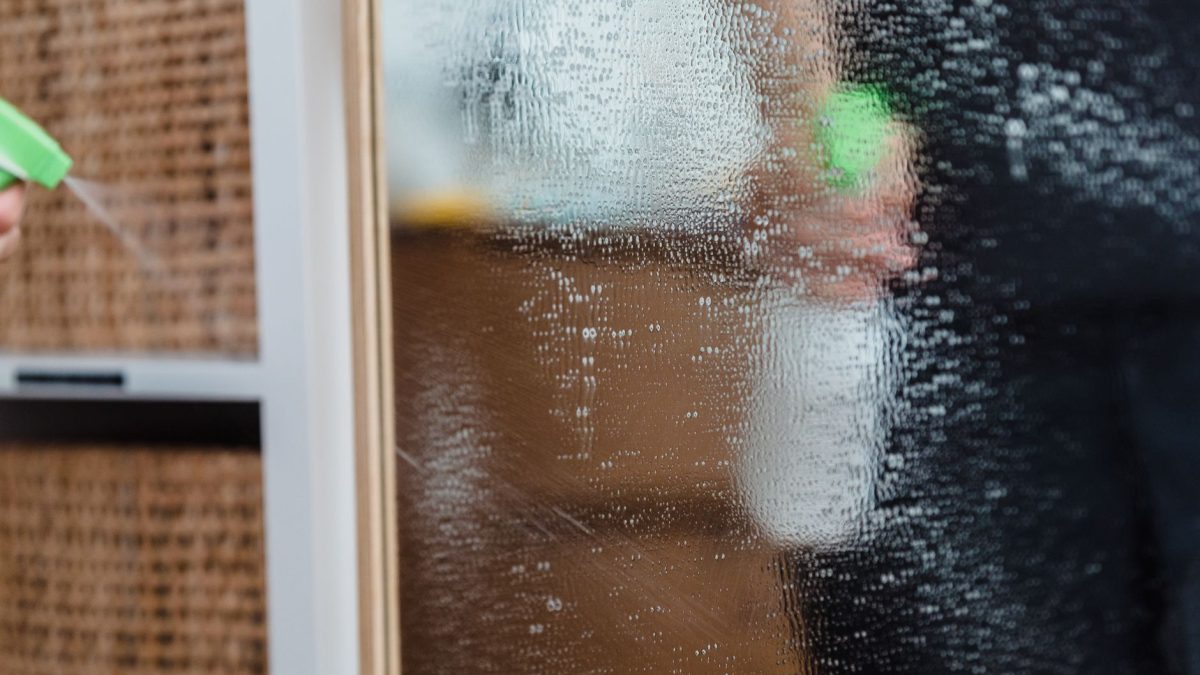
- Spray glass cleaner or alcohol onto the cloth, never directly onto the glass. Expected result: a damp, not dripping, cloth ready to wipe.
- Wipe the glass in gentle, straight, overlapping strokes from one side to the other. Expected result: dust, fingerprints, and haze lift away as you go.
- Use a cotton swab along the edges and corners where grime collects. Expected result: clean borders with no dark buildup at the frame.
- Buff the glass dry with the second clean cloth. Expected result: a streak-free, fully dry surface with no residue.
- Close the lid, plug the printer back in, and run a test copy. Expected result: a clean page with no lines or haze.
When I cleaned my own all-in-one last winter, one stubborn vertical line survived the first wipe. It turned out to be a tiny fleck of dried ink near the top edge that the flat cloth kept skating over. A cotton swab dipped in alcohol lifted it in one pass, and the next copy came out perfectly clean.
Warning: Never spray liquid straight onto the scanner glass. It can run down into the seam at the edge, seep under the panel, and reach the scan bar and electronics below, which is a repair no wipe can fix. Always dampen the cloth first, and keep the printer unplugged until the glass is fully dry.
Do Not Forget the ADF Glass Strip
If your printer has an automatic document feeder, the stack of pages you load on top, there is a second piece of glass you cannot skip. It is the thin strip, usually an inch wide or less, along the far left of the flatbed.
Every page pulled through the feeder passes over that narrow strip, so a single speck there prints a line on every single sheet. This is the classic cause of a copy that is perfect from the flatbed but streaky from the feeder. Wipe the strip exactly as you did the main bed, with the same damp cloth and a light touch.
Tip: If a line shows up on feeder copies but never on flatbed scans, the ADF strip is almost certainly the cause. Clean that narrow band first before you touch anything else. It solves this specific complaint far more often than people expect.
What to Use and What to Avoid
The glass surface is durable, but the wrong tools can scratch it or leave a haze that is worse than the dirt you started with. This quick reference sorts the safe choices from the ones to keep away from your scanner.
| Item | Safe to Use? | Why |
|---|---|---|
| Microfiber cloth | Yes | Soft, lint-free, lifts grime without scratching |
| 70 percent isopropyl alcohol | Yes | Cuts ink and fingerprints, dries fast with no residue |
| Standard glass cleaner | Yes, on the cloth | Fine for haze and dust when sprayed on the cloth first |
| Paper towel or tissue | No | Sheds fibers and can leave fine scratches |
| Abrasive or scouring pad | No | Scratches the glass and permanently marks scans |
| Acetone or harsh solvent | No | Can cloud the glass and damage the plastic frame |
Handling Stubborn Marks
Most smudges come off with one damp wipe. A few, like dried ink, glue from a label, or dabs of correction fluid, need a little more care but still come off safely.
Dried Ink or Toner Specks
Dampen a cotton swab or the corner of your cloth with isopropyl alcohol and hold it on the spot for a few seconds to soften it. Then wipe gently in one direction. Let the alcohol do the work instead of scrubbing hard.
Sticky Residue or Adhesive
Glue from a sticker or tape responds well to alcohol too. Apply a little, wait, then roll the residue off with the swab rather than dragging it across the glass. Finish with a clean, dry buff so nothing tacky is left behind.
How Often to Clean the Glass
For most homes and small offices, a quick wipe once a month keeps scans and copies looking sharp. If you scan often, handle a lot of photos, or work in a dusty room, every couple of weeks is better.
The easiest approach is to clean the glass the moment you notice a line or haze, and to fold it into your regular upkeep. You can browse every routine we recommend in the printer maintenance section, and read how we test each of these methods on our about us page. For a deeper look at how flatbed scanning works, the overview of the image scanner is a short, useful read.
Frequently Asked Questions
Why is there a line on every copy but not on my scans?
That pattern points straight at the thin ADF glass strip on the left of the flatbed. Every page pulled through the feeder passes over it, so one speck there marks every sheet. Flatbed scans use the main glass instead, which is why they stay clean. Wipe the narrow strip and the line usually disappears.
Can I use regular household glass cleaner?
Yes, a standard glass cleaner is fine for dust and haze, as long as you spray it onto the cloth and never onto the glass itself. Avoid anything with acetone or strong solvents, since those can cloud the surface or harm the plastic frame. For ink and fingerprints, 70 percent isopropyl alcohol works even better.
Why do I still see streaks after cleaning?
Streaks after cleaning usually mean leftover residue or lint. Buff the glass with a second dry microfiber cloth to remove any film the cleaner left behind. If a fine mark stays put, it may be dried ink or a tiny scratch. Try a swab dipped in alcohol on that exact spot before assuming the glass is damaged.
Is it safe to open the scanner lid all the way?
Yes, most lids are built to open fully or lift off gently for cleaning and to fit thick books. Move it slowly and do not force the hinge past its natural stop. If your lid detaches, note how it seats so you can slide it back on the same way when you finish.
How do I remove correction fluid from the glass?
Let a cotton swab dampened with isopropyl alcohol sit on the dried fluid for several seconds to soften it, then lift it away gently. Do not scrape with anything hard or metal, which can scratch the glass. Repeat with fresh alcohol if a faint film remains, then buff the area dry.
Clean Glass, Crisp Scans
A dirty scanner glass looks like a serious fault and is one of the easiest things to fix. Turn the printer off, dampen a soft cloth, wipe the flatbed and the ADF strip with a light touch, and buff it dry. Most streaks and haze vanish in a single pass.
Make it a quick monthly habit and your copies will stay sharp for years. When your printer springs its next little surprise, PrinterDojo has a calm, step-by-step guide ready to walk you through it.