

Key Takeaways
- Printer ink and toner do the same job in different ways: ink is a liquid for inkjets, and toner is a fine powder for laser machines.
- Ink suits photos and low-volume homes, while toner suits high-volume text printing and long stretches between uses.
- Yield, not sticker price, decides the real cost, so always compare cost per page before you buy.
- Simple habits like storing cartridges upright and printing a test page now and then prevent most drying and clogging.
- You have more choices than the box suggests, including high-yield cartridges, refills, and trusted third-party brands.
Standing in front of a shelf of cartridges, squinting at codes and prices, is one of the most confusing parts of owning a printer. I have spent years helping home users and small offices untangle exactly this, and I have tested dozens of cartridges across inkjet and laser machines to see what actually holds up. The truth is that ink and toner are simpler than the packaging makes them look. By the end of this guide you will understand how each one works, which suits your printing, how to read the real cost, and the small habits that keep every cartridge printing longer. No jargon, just the plain version.
What Printer Ink and Toner Actually Are
At the most basic level, ink and toner are two different ways of putting an image onto paper. They are not interchangeable, and a cartridge from one type of printer will never fit the other. Knowing which one lives in your machine is the first step to buying and maintaining it well.
Ink: The Liquid Method
Ink is a liquid held in a small plastic cartridge or refillable tank. An inkjet printer sprays microscopic droplets through tiny nozzles onto the page, building the image dot by dot. Because the droplets blend so smoothly, inkjets are wonderful for photos and colorful documents.
The trade-off is that liquid ink can dry out if it sits unused, and the nozzles can clog. That is why inkjets reward regular use and a little care, which we will cover further down.
Toner: The Powder Method
Toner is a fine, dry powder made of plastic and pigment. A laser printer uses heat and static electricity to fuse that powder onto the page. Because there is no liquid, toner does not dry out, and a cartridge can sit for months without any trouble.
Laser machines shine at fast, crisp black text and hold up well under heavy use. If you mostly print letters, invoices, and forms, toner is often the more relaxed choice. For a deeper side-by-side, see our full breakdown of ink vs toner and what actually separates them.

Ink vs Toner: Which One Fits Your Printing
Neither type is better in every situation. The right pick depends on what you print, how often you print, and how much color matters to you. The table below sums up the differences I point people to most.
| Factor | Ink (Inkjet) | Toner (Laser) |
|---|---|---|
| Best for | Photos, color, low volume | Text, high volume |
| Cost per page | Usually higher | Usually lower |
| Sits unused well | Can dry and clog | Very stable |
| Upfront printer cost | Lower | Higher |
| Print speed | Slower | Faster |
| Photo quality | Excellent | Fair |
If you print a handful of colorful pages a week, an inkjet with ink is usually the friendlier and cheaper machine to own. If you push out stacks of text every day, a laser with toner will feel faster and cost less over time. Many small offices end up owning one of each for exactly this reason.
Tip: If a printer often sits idle for weeks at a time, a laser machine is far more forgiving. Liquid ink dislikes long silences, while toner powder simply waits. Match the technology to your rhythm, not just your budget.
Understanding Cartridge Types and Labels
Once you know whether you need ink or toner, the next puzzle is the specific cartridge. The codes on the box look intimidating, but they follow a few simple patterns once you know what to look for.
Standard vs High-Yield
Most cartridge lines come in a standard size and a larger high-yield size, sometimes labeled XL. The high-yield version holds more ink or toner and prints more pages, usually at a lower cost per page. If you print regularly, high-yield almost always saves money. Our list of high-yield cartridges worth buying shows where the savings are real.
Genuine vs Third-Party
Genuine cartridges are made by the printer manufacturer. Third-party options come in two flavors: compatible cartridges built fresh by another company, and remanufactured cartridges that reuse a cleaned original shell. Both can work well, though quality varies by brand. We compare the real trade-offs in genuine vs third-party cartridges.
Individual vs Combined Color
Color inkjets use either separate cartridges for each color or one tri-color cartridge holding all three. Separate cartridges let you replace only the empty color, which usually wastes less ink over time. A tri-color cartridge is simpler but forces you to toss it when any single color runs dry.
The Real Cost: Reading Yield and Cost Per Page
Here is the part that saves the most money. The sticker price on a cartridge tells you almost nothing about its value. What matters is how many pages it prints, a number called the page yield, usually printed on the box.
To find the true cost, divide the cartridge price by its page yield. A cartridge that costs more but prints three times as many pages is often the cheaper choice. This one calculation flips a lot of shelf decisions on their head.
- Find the cartridge price and its page yield on the box or product listing. Expect a yield somewhere in the hundreds or low thousands of pages.
- Divide the price by the yield to get the cost per page. For example, a cartridge at 30 dollars printing 300 pages costs about 10 cents per page.
- Repeat for the high-yield version of the same cartridge. You will usually see the cost per page drop noticeably.
- Compare that number against a third-party option for the same printer. Now you are comparing value, not just price tags.
- Pick the lowest cost per page that still meets your quality needs, and note it for next time. You now have a repeatable buying rule.
Yields are measured under a standard test pattern, so heavy graphics or dark photos will use more than the rated amount. Treat the yield as a fair comparison tool rather than an exact promise. For a step-by-step shopping routine, our ink and toner buying checklist walks through it, and if the math feels overwhelming, the best ways to cut printer running costs covers the bigger picture.
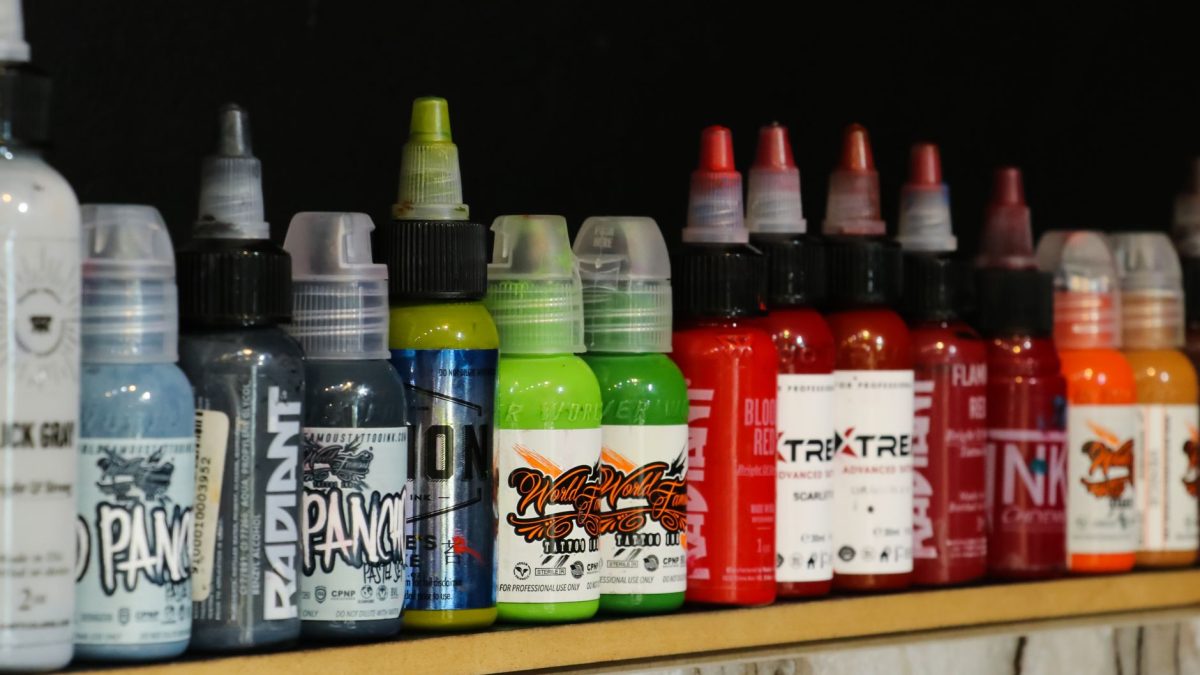
Where Your Money Really Goes
It surprises most people to learn that the printer itself is often the cheapest part of the whole arrangement. Manufacturers sell many machines close to cost, then earn their profit on the cartridges you buy for years afterward. This is why a bargain printer can quietly become the expensive one.
Before you commit to any printer, spend two minutes checking the price and yield of its cartridges. A model that seems dear on the shelf can be far cheaper to live with if its supplies are affordable. I have watched people save more over three years by choosing supplies wisely than by chasing a cheaper printer.
Refillable tank printers take this idea furthest. Instead of cartridges, you pour ink from bottles into built-in reservoirs, which drops the cost per page dramatically for anyone printing in volume. The upfront price is higher, so they pay off best when you print a lot rather than a little.
Making Cartridges Last Longer
A cartridge that prints its full rated yield is money well spent. A cartridge that clogs or dries out at the halfway mark is money thrown away. The difference usually comes down to a few small habits rather than luck.
Store Them Right
Keep spare cartridges in their sealed packaging until you need them, upright, and away from heat and direct sun. Once opened, an ink cartridge starts a slow clock, so do not stock up on more than you will use in a few months. Our guide on how to store cartridges so they do not dry out covers the details.
Print Something Now and Then
For inkjets, the single best habit is regular use. Printing even one color page every week or two keeps ink moving through the nozzles so it never has a chance to harden. When I tested this on a home inkjet, the machine I printed on weekly never clogged over six months, while an identical one left idle needed a cleaning cycle before it would print cleanly again.
If a cartridge does dry up, do not throw it out just yet. Many can be brought back to life, as we explain in how to revive a dried-out ink cartridge.
Warning: Do not switch your printer off at the wall socket between jobs. Powering down properly through its own button lets it park the print head and run quiet maintenance that keeps nozzles clear. Yanking the plug skips that and invites clogs.
Trust the Right Warnings
Low-ink warnings often appear long before a cartridge is truly empty, so you can usually keep printing until quality drops. Learning when the warning is real, explained in are low-ink warnings real, stops you replacing cartridges with plenty of life left. It is one of the easiest ways to avoid quiet waste.
Replacing a Cartridge and Common Snags
Swapping a cartridge is straightforward, but a couple of small mistakes cause most of the frustration. Handle a new cartridge only by its edges, and never touch the gold contacts or the nozzle strip, since skin oils can block them. If you want the full walkthrough, see how to replace an ink cartridge step by step.
The most common snag after a swap is a printer that refuses to recognize the new cartridge. Usually a firm reseat or a quick power cycle clears it. When it does not, our cartridge not recognized errors FAQ walks through the fixes in order.
It is also worth knowing that refilling a cartridge is not always the bargain it seems. We ran the numbers in refill vs buy new to show when each option truly wins.
Myths and Mistakes That Cost You Money
Plenty of printer advice floating around is simply wrong, and following it wastes both ink and cash. A few myths come up again and again in the questions I get.
One is that third-party ink always ruins your printer, which is not true for reputable brands. Another is that you must replace a cartridge the instant a warning appears. We debunk the rest in ink and toner myths that cost you money, and cover the everyday habits that drain cartridges in eight mistakes that waste ink and toner.
If you like seeing the numbers in the real world, one of our writers logged every cartridge purchase and page count over twelve months in I tracked my real ink costs for a year. It is a grounding read before your next shopping trip. Everything we publish follows our editorial policy so you know the advice is tested, not guessed.
For the underlying science of how these systems work, the general overview of inkjet printing on Wikipedia is a solid, neutral starting point.
Frequently Asked Questions
Can I use toner in an inkjet printer, or ink in a laser printer?
No. Ink and toner work in completely different ways, and the cartridges are physically shaped for one type of machine only. An inkjet needs liquid ink, and a laser printer needs powder toner. Always buy the supply that matches your specific printer model.
Does printer ink expire?
Yes, ink has a shelf life, usually printed as a date on the cartridge. Sealed cartridges last longest, often around two years, while opened ones dry out faster. Toner powder is far more stable and can sit unused for years. Buy only what you will realistically use soon.
Is high-yield ink always cheaper?
For regular printers, usually yes, because the cost per page drops as the cartridge size grows. The exception is a printer you rarely use, where the extra ink may dry out before you finish it. Compare cost per page and match the cartridge size to your printing habits.
Are third-party cartridges safe to use?
Reputable third-party cartridges are generally safe and can save a good amount of money. Quality does vary between brands, so stick to sellers with strong reviews and a clear return policy. If you notice quality issues or an error message, switching back to a genuine cartridge usually resolves it.
Why does my printer say low ink when the cartridge feels full?
Many printers estimate ink levels rather than measuring them exactly, so warnings appear early as a safety margin. You can often keep printing well past the first alert until the quality actually fades. Keep a spare on hand, but there is no need to swap the cartridge the moment it warns.
Bringing It All Together
Printer ink and toner stop being confusing the moment you know the basics: liquid ink for inkjets and color work, dry toner for lasers and heavy text. From there, comparing cost per page instead of sticker price, choosing the right cartridge size, and keeping a few gentle habits will carry you a long way. You now have a repeatable way to buy smarter and waste less.
Whenever you are ready to go deeper on any piece of this, the linked guides above are here to help at your own pace. Take it one small change at a time, and your next cartridge will stretch further than the last.


