

Key Takeaways
- A fuser roller jam usually shows up as paper crumpling near the back of a laser printer, faint smearing, or a repeating jam in the same spot.
- Many roller jams are a cleaning problem, not a parts problem, a wipe-down and a cool-down fixes more than people expect.
- Replace the fuser when you see glazed or grooved rollers, error codes for the fuser, or repeat jams after a proper cleaning.
- Rubber feed and pickup rollers are cheap, user-swappable parts; fuser units cost more and run hot, so treat them with respect.
- Match the repair to the printer’s value and age, sometimes a new roller kit is worth it, and sometimes a new printer is the smarter call.
If your printer keeps chewing up pages in the same spot, or the paper comes out warm, wrinkled, and smudged, you’re probably dealing with a roller or fuser problem, not just a random misfeed. I’ve cleared hundreds of these on home and small-office machines, and the good news is that most of the time you don’t need a technician or a new printer. You just need to know which part is failing and whether it can be cleaned, adjusted, or swapped. By the end of this guide, you’ll be able to tell a fuser roller jam from an ordinary jam, decide confidently between fix and replace, and do the safe repair yourself.
What Rollers and the Fuser Actually Do
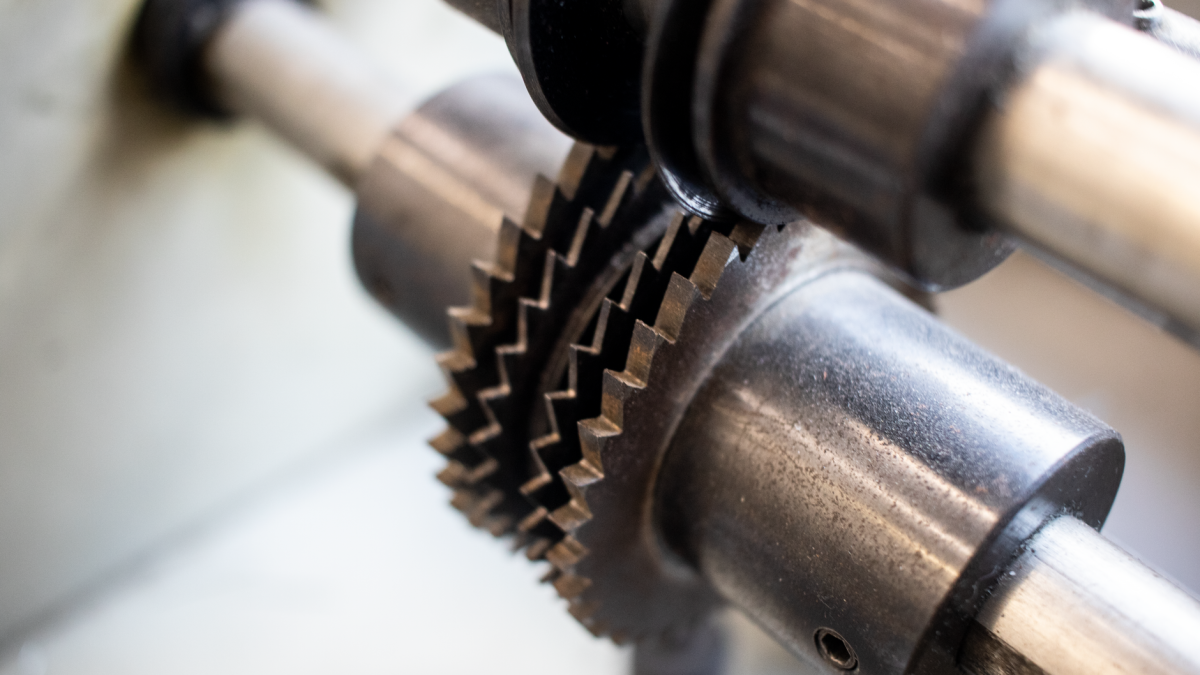
Every printer has rollers whose only job is to grab paper and move it along in a straight, steady line. The pickup roller lifts one sheet from the tray. Feed and transport rollers hand that sheet from one section to the next. When any of these get dirty, worn, or slippery, the paper slips or slews sideways, and you get a jam.
The fuser is a laser-printer-only part that sits near the back exit. It uses heat and pressure to melt toner and press it permanently into the page. Inside are two rollers, a hot one and a pressure one, that the paper is squeezed between. Because the fuser runs hot and grips hard, a failing fuser roller causes some of the most stubborn, messy jams you’ll ever see.
Inkjet printers don’t have a fuser at all, they dry ink with air and time instead of heat. So if you have an inkjet, your roller jams are almost always feed or pickup rollers, which are easier and cheaper to deal with. If you’re weighing the two technologies, our guide on inkjet vs laser and which jams less often breaks down the trade-offs.
How to Spot a Fuser Roller Jam

Ordinary jams happen anywhere along the paper path and clear cleanly once you remove the sheet. Fuser and roller jams have a signature. Learning that signature is the fastest way to avoid guessing, and to avoid buying a part you don’t need. If you’re not even sure the jam is real, our piece on telling a phantom jam from a real jam is worth a quick read first.
Signs the fuser is the culprit
- Paper jams right at the back exit of a laser printer, often accordion-crumpled.
- The jammed page feels hot and the toner smears or flakes when you touch it.
- You see repeated ghost images or a shiny streak down the page.
- The printer throws a fuser-specific error code or a “fuser unit” message.
- The same jam returns in the same place even after you clear it carefully.
Signs it’s a feed or pickup roller instead
- The printer grabs several sheets at once or fails to pull any.
- The jam happens near the tray at the start of the paper path.
- Pages come out crooked or the corners are dog-eared.
- The toner looks fine, no smearing, no heat.
In my own repairs, the single most common mix-up is blaming the fuser when a grimy pickup roller was the real problem. A slick, dusty pickup roller lets the sheet enter at an angle, and by the time it reaches the fuser it’s already skewed and bunches up there. So the jam looks like a fuser fault but starts three inches earlier.
Fix First: Cleaning and Simple Repairs
Before you spend a cent on parts, clean. A large share of roller jams disappear after a proper wipe-down, because rubber rollers pick up paper dust and glaze over, losing their grip. This is the cheapest fix in printing, and it’s the first thing I try on every machine.
Warning: The fuser gets extremely hot and stays hot for a while after printing. Always power off and unplug the printer, then let it cool for at least 30 minutes before you reach anywhere near the fuser. Burns from a live fuser are a real hazard, not a theoretical one.
How to clean feed and pickup rollers
- Turn the printer off, unplug it, and open every access door and tray.
- Find the rubber rollers, usually small grey or black wheels along the paper path.
- Dampen a lint-free cloth with a little water or isopropyl alcohol (not soaking).
- Wipe each roller while turning it by hand so you clean the whole surface.
- Let everything dry for a few minutes, then reload paper and test a few pages.
For a deeper walk-through of clearing the sheet itself without tearing it, see our step-by-step guide on how to clear a paper jam step by step. And if a scrap already tore off inside, don’t force the next print, follow our method for removing torn paper stuck inside a printer first.
Cleaning near the fuser
Once the fuser is fully cool, gently remove any shredded paper or hardened toner from the exit area. Never scrape the fuser roller with a metal tool, you’ll gouge the coating and make the jams worse. A soft cloth and patience are all you should use. If cleaning restores clean, straight prints, you’ve just saved yourself a part.
Tip: If your printer has a “cleaning page” or “roller cleaning” routine in its menu, run it after a manual wipe. It feeds a special sheet through the whole path and often clears residue you can’t reach by hand.
When to Replace: Reading the Warning Signs
Cleaning fixes glaze and grime, but it can’t fix worn-out rubber or a damaged fuser. There’s a point where replacing the part is the only real cure, and pushing past it just wastes paper and patience. Here’s how to know you’ve reached it.
- Cracked, flat, or glazed rollers. If a roller has lost its round shape or feels hard and shiny even after cleaning, the rubber is done.
- Grooves or torn coating on the fuser roller. A gouged fuser will streak and jam every page.
- Persistent fuser error codes. Heat and sensor faults inside the fuser can’t be cleaned away.
- Repeat jams after a thorough cleaning. If the jam returns in the same spot, the part is worn, not dirty.
- Toner that won’t stay put. Smearing that survives a clean fuser means the heat element is failing.
Feed and pickup rollers are the easy replacements. On most home and small-office laser printers they pop out with a clip or a simple twist, and a roller kit is inexpensive. Fuser units are pricier and heavier, but on many models they’re still designed to be swapped by the owner as a single cartridge-style module. When you’re ready to shop for the right cloths, alcohol, and grip tools, our roundup of the best tools for clearing stubborn paper jams saves you some trial and error.
Fix vs Replace: The Quick Decision Table
Use this as your at-a-glance guide. Match your symptom to the row and you’ll know whether to reach for a cloth, a new roller kit, or the recycling program.
| Symptom | Likely part | Fix or replace? |
|---|---|---|
| Multi-sheet grabs, crooked feed | Pickup roller | Clean first; replace if worn |
| Jam near the tray, dog-eared corners | Feed roller | Clean first; cheap to replace |
| Accordion crumple at back exit | Fuser rollers | Clean when cool; replace if grooved |
| Smearing or ghost images | Fuser heat element | Replace fuser unit |
| Fuser error code | Fuser sensor/heater | Replace fuser unit |
| Repeat jam after cleaning | Worn roller or fuser | Replace the failing part |
Is It Worth Fixing at All?
Sometimes the smartest repair is no repair. Weigh the cost of the part against the age and value of the printer. A fuser that costs more than half the price of a comparable new machine is rarely worth it on a budget model. But on a workhorse office printer, a fresh fuser and roller kit can add years of reliable service for a fraction of replacement cost.
A realistic before-and-after from my bench: a small-office laser printer that jammed on nearly every third page. The pickup roller was glazed smooth and the fuser exit had a hardened toner ridge. A roller kit and a careful fuser cleaning, total parts under the cost of a single ink-and-toner run, took it from unusable to zero jams across a full ream. That machine had another two years of life left in it, easily.
If your printer keeps jamming for reasons that have nothing to do with rollers, the root cause may be loading habits or paper quality. Our paper jam prevention checklist for home printers and the pillar resource, The Complete Guide to Fixing Printer Paper Jams, cover the whole picture so you’re not fixing the same jam twice.
A quick word on genuine vs generic parts
You’ll find both manufacturer and third-party roller kits and fusers. Genuine parts cost more but tend to match the coating and hardness the printer was designed for. Generic parts can be fine for feed and pickup rollers, where tolerances are forgiving. For fusers, I lean toward genuine or well-reviewed parts, since heat and pressure leave little room for a poor fit. Your manufacturer’s official support site, for example HP’s support homepage, lists the correct part number for your exact model, which is worth checking before you buy.
For background on how the melting-and-pressing process works, the Wikipedia article on the printer fuser gives a plain-language overview of the heat-and-pressure mechanism.
Frequently Asked Questions
What is a fuser roller jam?
It’s a jam caused by the heated rollers in a laser printer’s fuser gripping or crumpling paper at the back exit. It often comes with smeared toner, hot pages, and a jam that keeps returning in the same spot even after you clear it.
Can I clean a fuser roller myself?
Yes, but only once the printer is off, unplugged, and fully cooled for at least 30 minutes. Wipe gently with a soft, lint-free cloth and never scrape with metal. Cleaning removes hardened toner and dust, and it fixes many jams without any new parts.
How much does it cost to replace a fuser?
It varies widely by model, but fuser units generally cost far more than a simple roller kit. If the fuser price approaches half the cost of a comparable new printer, replacing the whole machine is often the better value on budget models.
Do inkjet printers have a fuser?
No. Inkjet printers dry ink with air and time instead of heat, so they have no fuser. Any roller jam in an inkjet is a feed or pickup roller issue, which is usually cheaper and easier to clean or replace than a laser fuser.
Why does my printer jam in the same place every time?
A repeat jam in one spot almost always means a worn part rather than a random misfeed. If the spot is the back exit, suspect the fuser rollers. If it’s near the tray, suspect the pickup or feed roller. Clean first, then replace if the jam persists.
The Bottom Line
A fuser roller jam feels intimidating, but it follows clear rules: clean first, watch for the warning signs of real wear, and replace the specific part that’s failing rather than guessing. Match the repair to your printer’s age and value, and you’ll almost always come out ahead, either with a machine that runs like new or with the confidence to retire one that’s truly worn out. If you’d like to know more about how we test and stand behind these fixes, our editorial policy lays it out. Take your time, stay safe around the heat, and your next print will slide out clean.


