

Key Takeaways
- Many “money-saving” printer habits actually burn through ink and shorten your printer’s life.
- Draft mode, smart nozzle checks, and correct paper choices save far more ink than gimmicks.
- Turning your printer off completely can cost you more in cleaning cycles than leaving it on standby.
- Cheap refills and endless deep cleans often create the very problems people are trying to avoid.
If you have ever unplugged your printer to “stop it wasting ink” or run cleaning cycle after cleaning cycle hoping for a miracle, you are not alone. I have repaired and tuned printers for years, and the same handful of myths show up again and again. The sad part is that these beliefs feel smart, so people repeat them and quietly waste money. By the end of this article you will know which common print quality myths cost you ink, why they are wrong, and the simple habits that genuinely stretch a cartridge further.
Why Print Quality Myths Spread So Easily
Printers are quiet, sealed boxes. You cannot see the ink move or watch the print head fire, so people fill the gaps with guesses. A tip from a coworker becomes a rule, and a rule becomes a habit nobody questions.
Most myths sound logical on the surface. “Use less color, save more ink.” “Clean it often to keep it healthy.” The trouble is that printers do not always behave the way our common sense expects. Understanding the machine, even a little, is the fastest way to stop wasting supplies.
Myth 1: Turning the Printer Off Saves Ink
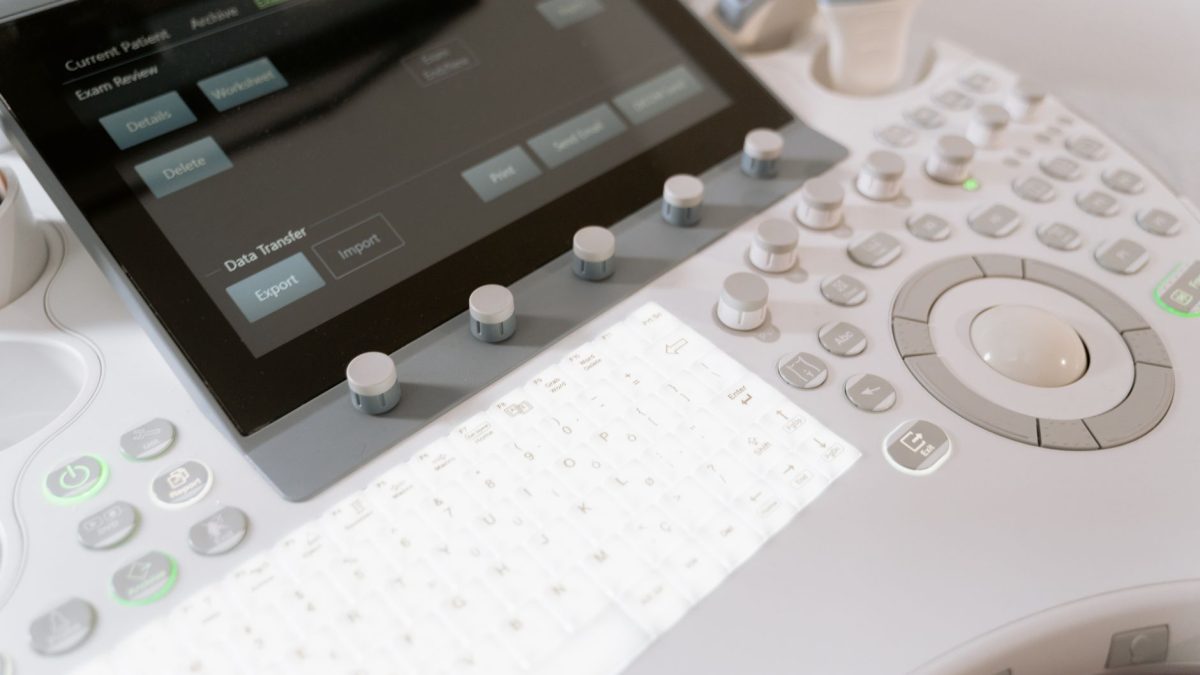
This one feels obvious, and it is wrong for most inkjets. When an inkjet powers on after being fully off, it often runs a priming or cleaning routine to make sure the nozzles are ready. That routine uses ink every single time.
If you hard-switch your inkjet off at the wall after every job, you may trigger those startup cleanings far more than needed. On my own test unit, leaving the printer in its low-power standby state between jobs clearly used less ink over a month than powering it all the way down each night.
Laser printers are different. They do not have liquid ink to protect, so switching them off is fine and does save electricity. The myth mostly hurts inkjet owners.
Tip: Use your printer’s own power button, not the wall switch. The power button lets the printer park the print head in its sealed cap, which keeps ink from drying out between jobs.
Myth 2: Draft Mode Ruins Your Documents
Plenty of people never touch draft mode because they assume it produces ugly, unreadable pages. For everyday text, that is simply not true. Draft mode lays down less ink and prints faster, and for internal notes, receipts, or first-pass edits it looks perfectly fine.
Reserving high quality for the pages that truly need it is one of the easiest ways to make a cartridge last. Think of quality settings as a dial, not a switch you leave on maximum forever.
If you want a deeper look at which settings quietly drain supplies, our guide on 9 print settings that ruin photo quality breaks down the ones that matter most.
Myth 3: Running Cleaning Cycles Fixes Everything
When a print looks streaky, the tempting move is to smash the deep clean button several times in a row. Here is the catch: a deep clean can use a surprising amount of ink, sometimes as much as printing many full pages.
One or two cleans can absolutely revive a clogged nozzle. Ten cleans in an afternoon usually just empties the cartridge while the real problem, often dried ink or air in the line, sits untouched. The smarter path is to run a nozzle check first, then clean only if the pattern shows gaps.
To tell these routines apart, see our explainer on nozzle check vs deep clean and which one you need, and if a nozzle is truly blocked, our walkthrough on how to clean a clogged print head step by step covers the safe methods.
A Smarter Cleaning Routine
- Print a nozzle check pattern to see exactly which colors have gaps.
- If gaps appear, run one standard cleaning cycle, not a deep clean.
- Print the nozzle check again to compare.
- If it improved but is not perfect, wait a few hours and repeat once.
- Only escalate to a deep clean after two standard cleans fail to help.
Myth 4: All Paper Prints the Same
Cheap, thin, or dusty paper soaks up ink unevenly and can leave prints looking faded even when your cartridge is full. People then blame the ink and buy replacements they did not need.
Matching paper to the job keeps ink on the surface where it belongs, so colors look richer with less ink laid down. It is one of the cheapest upgrades you can make. Our roundup of the best papers for sharp, clean prints is a good starting point.
Myth 5: Cheap Refill Ink Is Always the Same
Refills and third-party cartridges can save money, and some are genuinely fine. The myth is that all ink is identical and quality never matters. Very cheap ink can be thinner, fade faster, or clog nozzles, which then triggers more cleaning cycles and even more waste.
The goal is not to fear third-party ink. It is to buy from sellers with real reviews and to test one cartridge before you stock up on a dozen.
Myth vs Reality at a Glance
| Common Myth | What Actually Happens |
|---|---|
| Turn the printer fully off to save ink | Inkjets often run an ink-using cleaning cycle on startup |
| Draft mode ruins documents | It is fine for everyday text and uses far less ink |
| Deep clean repeatedly to fix streaks | Each deep clean wastes ink; a nozzle check comes first |
| All paper performs the same | Poor paper soaks ink and looks faded |
| All refill ink is identical | Quality varies; bad ink can clog and cost more |
Warning: Do not force a stuck print head by hand or leave a low-quality cartridge in place while it leaks. A single leak can stain rollers and cause defects that outlast the cartridge itself.
Habits That Truly Save Ink
Once the myths are cleared away, the real savings are refreshingly simple. Print in draft for everyday pages, use grayscale when color adds nothing, and print at least once a week so ink does not dry in the nozzles.
Keep your printer in a stable, dust-free spot and let it park its own head using the power button. These small habits add up faster than any single clever trick. If prints still look off, work through our print quality troubleshooting checklist or the broader complete guide to fixing print quality problems.
You can also read more about how we test and verify our advice on our editorial policy page. For a general overview of how inkjet printing works, this overview of inkjet printing is a helpful, neutral reference.
Frequently Asked Questions
Does turning my printer off every night really waste ink?
For most inkjets, yes, if you cut power at the wall. A full power cycle can trigger a startup cleaning that uses ink. Use the printer’s own power button so it can cap the head instead, and let it rest in standby between jobs.
Is draft mode bad for important documents?
Not for everyday text. Draft mode simply lays down less ink and prints faster, which is perfect for notes, drafts, and receipts. Save normal or high quality for résumés, contracts, and photos where sharpness genuinely matters.
How many cleaning cycles are too many?
If two standard cleaning cycles do not fix streaks, more will usually just waste ink. Run a nozzle check between cleans, wait a few hours, and only then try a deep clean. Persistent gaps often point to a dried head, not empty ink.
Are third-party ink cartridges safe to use?
Many work fine, but quality varies widely. Poor ink can fade quickly or clog nozzles, which leads to more cleaning and more waste. Buy from sellers with genuine reviews and test a single cartridge before committing to a bulk order.
Why do my prints look faded even with a full cartridge?
Often the culprit is paper or a partly clogged nozzle rather than ink level. Thin paper absorbs ink and dulls color, while a blocked nozzle drops out fine detail. Our beginner guide on faded prints walks you through the checks step by step.
Putting It All Together
The habits that feel frugal are often the ones quietly draining your cartridges. Once you swap myths for how printers actually work, you spend less and print better at the same time. If you want to keep learning, our guide on why your prints look faded and our list of mistakes that waste ink and ruin prints are gentle next steps. Take one habit from this article, try it this week, and let the savings build from there.


